
How I Rebuilt My WordPress Portfolio to Score 100 Across PageSpeed Insights
A developer portfolio should do more than describe technical ability. It should demonstrate it.
When I decided to rebuild Salvadoresc.com, I wanted to keep WordPress as the content management system while making the frontend feel immediate, lightweight, and deliberately engineered. The final result scored 100 in Performance, Accessibility, Best Practices, and SEO in both mobile and desktop PageSpeed Insights audits.
Those scores were not the starting point. They were the result of architectural decisions, dependency removal, careful migration work, and several rounds of evidence-based debugging.
The constraints
The existing site used Divi and already contained eight portfolio projects, featured images, project galleries, and descriptions I wanted to preserve. It also used Gravity Forms for contact submissions and included years of older blog content.
I established a few non-negotiable requirements:
- WordPress had to remain the publishing platform.
- Existing project content could not be lost.
- Projects and certifications needed a clean editing experience.
- Navigation had to feel as fast as a modern single-page application.
- The contact form had to remain functional without displaying my email address.
- Performance and accessibility could not be traded for visual effects.
A custom block theme instead of a page-builder frontend
I replaced the page-builder frontend with a custom WordPress block theme. The theme uses server-rendered templates, a small design system, responsive CSS, and native WordPress capabilities rather than shipping a general-purpose builder runtime to every visitor.
This reduced the amount of code required to render the portfolio while keeping the site editable through WordPress.
Separating content from presentation
The content model lives in a companion plugin rather than in the theme. The plugin owns the Projects and Certifications post types, their taxonomies, REST-enabled metadata, and the dynamic blocks used throughout the site.
This separation matters because changing the visual theme should not make project data disappear. It also prevents the new implementation from repeating the same builder lock-in it was designed to remove.
Migrating away from Divi safely
Before changing the frontend, I created a migration utility that backed up the original Divi markup for each project. It then converted the useful content into native WordPress content and extracted gallery references into dedicated project metadata.
All eight projects were processed while retaining recoverable Divi backups. This made the transition reversible and allowed the new templates to render clean content without executing old shortcodes.
SPA-like navigation with progressive enhancement
Fast navigation did not require turning WordPress into a headless CMS.
I used the WordPress Interactivity API router to prefetch eligible internal links and replace the main content region during navigation. Moving from the portfolio grid to a project—or from one project to another—feels immediate because the browser does not rebuild the entire document.
The implementation still preserves normal URLs, browser history, direct links, and server-rendered HTML. If JavaScript fails or client navigation is unavailable, every link continues to work as a conventional WordPress request.
Removing what the portfolio did not need
Performance improved substantially after auditing the actual production assets and removing code that no longer served a purpose:
- Divi carousel styles and scripts were removed after replacing their last use.
- Tooling and plugins left over from previous experiments were retired.
- Smush lazy-loading JavaScript was disabled in favor of native browser lazy loading, while modern image delivery remained enabled.
- An unused Google Sign-In integration was disabled.
- AdSense was limited to editorial blog contexts instead of loading on the homepage and project pages.
- The custom navigation script remained intentionally small and used WordPress-provided modules.
The last accessibility problem was a cache problem
The most interesting issue appeared when the site reached 100 in Performance, Best Practices, and SEO but remained at 96 in Accessibility.
Lighthouse reported insufficient contrast for every Gravity Forms field and the submit button. The colors looked correct in a normal browser, so changing the palette repeatedly would have treated the symptom rather than the cause.
Inspecting computed styles in Chrome revealed that Lighthouse was evaluating the form through a parent container at 0.15 opacity during a reveal animation. After excluding the contact section, the audit still saw the old rule.
The reason was cache invalidation: an optimization layer had removed the stylesheet version parameter, allowing an older file at the same URL to remain cached. Deploying the corrected CSS under a new versioned filename forced every layer to retrieve the current stylesheet. The next audit returned 100 in Accessibility.
The final results
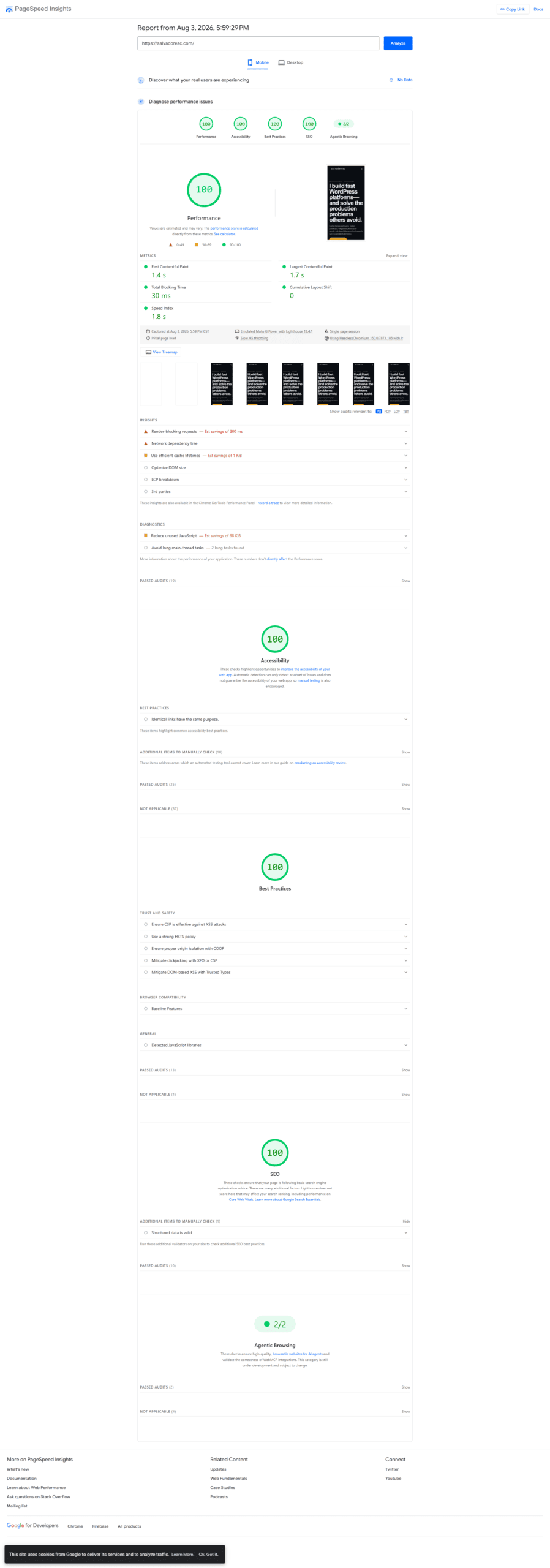
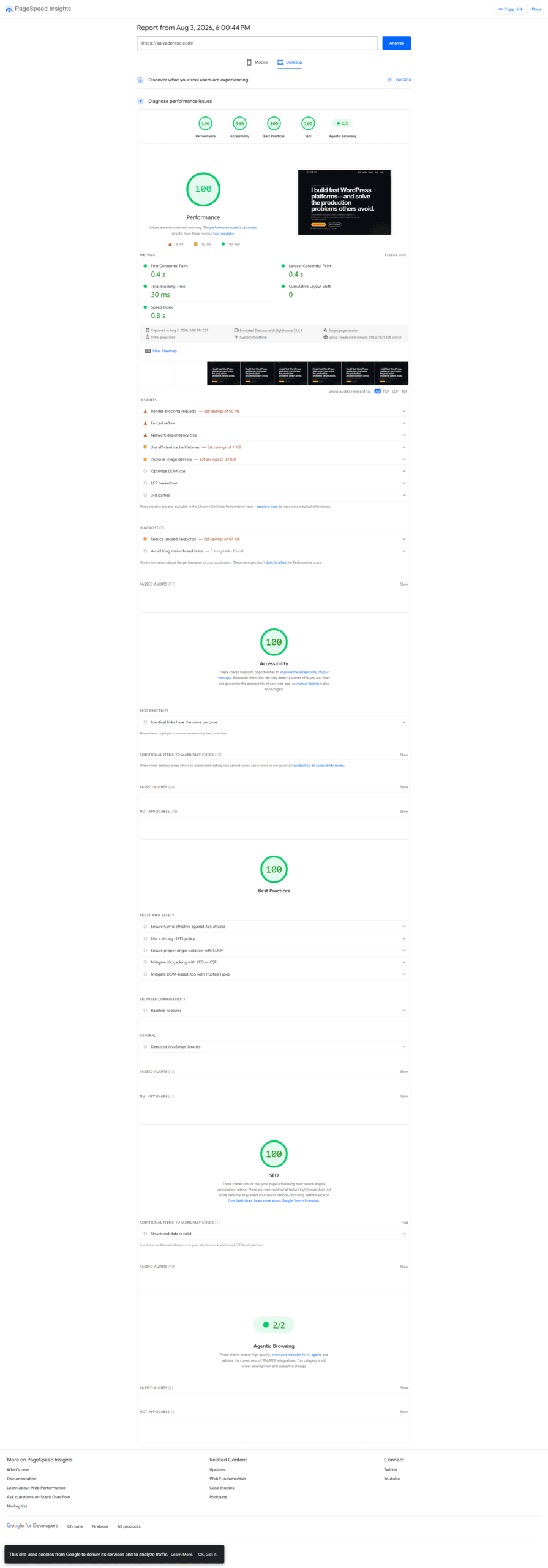
The following PageSpeed Insights lab results were recorded on August 3, 2026.
Mobile
| Metric | Result |
|---|---|
| Performance | 100 |
| Accessibility | 100 |
| Best Practices | 100 |
| SEO | 100 |
| First Contentful Paint | 1.4 s |
| Largest Contentful Paint | 1.7 s |
| Total Blocking Time | 30 ms |
| Cumulative Layout Shift | 0 |
| Speed Index | 1.8 s |
Desktop
| Metric | Result |
|---|---|
| Performance | 100 |
| Accessibility | 100 |
| Best Practices | 100 |
| SEO | 100 |
| First Contentful Paint | 0.4 s |
| Largest Contentful Paint | 0.4 s |
| Total Blocking Time | 30 ms |
| Cumulative Layout Shift | 0 |
| Speed Index | 0.8 s |
What I would repeat on another WordPress project
- Preserve and normalize content before replacing its presentation layer.
- Remove unused dependencies before trying to optimize them.
- Prefer progressive enhancement over duplicating the site in a separate frontend stack.
- Measure computed behavior, not just authored CSS.
- Treat cache invalidation as part of deployment engineering.
- Use Lighthouse as a diagnostic tool, while remembering that lab scores can fluctuate and do not replace real-user monitoring.
The outcome is more than a perfect audit screenshot. Salvadoresc.com is now a portable, maintainable WordPress platform that demonstrates custom theme development, plugin architecture, safe content migration, frontend performance, accessibility, and production debugging in one working project.
If you are looking for senior WordPress engineering focused on maintainable architecture and measurable frontend quality, get in touch through the contact form on Salvadoresc.com.